How to Choose the Best LCD Display for Your Business Needs?
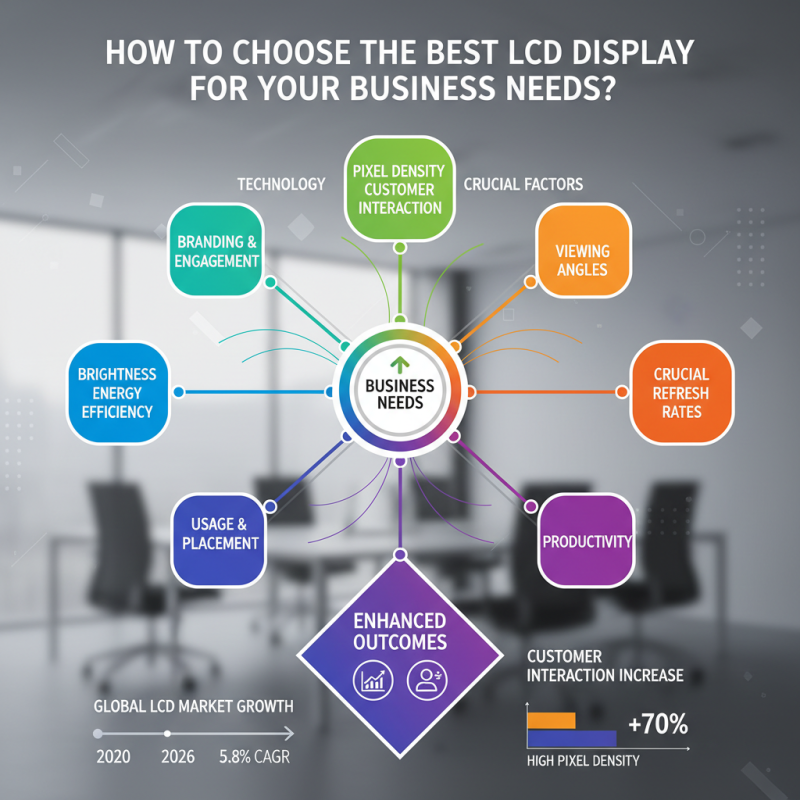
Choosing the right LCD Display for your business is critical. The global LCD market is projected to grow at a CAGR of 5.8% by 2026, indicating its rising importance. With various options available, it is essential to consider your specific needs. Display technology has advanced significantly, leading to improved brightness, resolution, and energy efficiency.
Moreover, businesses are increasingly relying on high-quality displays for branding and customer engagement. According to recent studies, displays with high pixel density can enhance customer interaction by up to 70%. This data emphasizes the need to choose wisely. However, not all displays meet every requirement. Some businesses may overlook crucial factors like viewing angles or refresh rates.
Reflection on your choices is vital. A display misfit can hinder visibility and affect productivity negatively. Assessing where and how the LCD display will be used is a step many skip. Ultimately, aligning the right LCD display with your unique business goals can lead to better outcomes and enhanced customer experiences.
Understanding Different Types of LCD Displays for Business Applications
When selecting an LCD display for business applications, understanding the different types is crucial. There are several categories, each with unique features. For instance, TN (Twisted Nematic) displays are affordable and suitable for basic tasks. They offer fast response times but have limited viewing angles. This makes them challenging for collaborative work environments.
In contrast, IPS (In-Plane Switching) panels excel in color accuracy and wider viewing angles. They are ideal for design work or presentations, where true color representation matters. VA (Vertical Alignment) displays provide better contrast ratios. However, they may not match the color accuracy of IPS panels.
Consider your specific needs. Do you need vibrant visuals or quick response times? Assess the environment too. Bright lights may wash out some displays. Ultimately, evaluating these factors will lead to a more informed decision. Each type has strengths and weaknesses. Reflecting on them can ensure you choose the right display for your business.
Assessing Your Business Requirements for Display Size and Resolution
When choosing the right LCD display for your business, understanding your requirements is vital. Display size and resolution can significantly influence your operations. A larger screen can enhance productivity, especially in environments like retail or control rooms. However, too big can lead to overcrowded workspaces. Finding balance is key.
Consider the resolution. Higher resolution provides clearer images and text. This is essential in graphic design or data-heavy tasks. Yet, excessive resolution can also increase costs. It’s crucial to assess the actual content that will be displayed. Will your clients benefit from vibrant visuals or detailed graphics?
**Tips:**
- Analyze your workspace layout. Bigger might not always mean better.
- Evaluate the distance from which the display will be viewed. This can dictate the necessary resolution.
- Discuss with your team. Gather feedback on what they need for optimal performance.
Business LCD Display Size and Resolution Assessment
Evaluating Brightness, Contrast, and Color Accuracy for Optimal Viewing
When selecting an LCD display for your business, brightness, contrast, and color accuracy are crucial facets. Brightness, measured in nits, directly affects how well a display performs in different lighting conditions. Research indicates that displays with at least 300 nits are suitable for standard office settings, while those exceeding 600 nits work well in environments with direct sunlight. However, a display that is too bright can cause eye strain, which is a common concern among users.
Contrast ratio is another important metric. A higher contrast ratio leads to clearer images and meaningful detail. Displays with a contrast ratio of 1000:1 or more are ideal. Studies show that poor contrast can lead to a 15% decrease in productivity due to visual discomfort. Color accuracy is vital as well. A display should ideally cover 99% of the sRGB color space, ensuring vibrant and true-to-life colors. This is especially important for businesses engaged in graphic design or video production, where color fidelity dramatically impacts the final output.
Yet, not all displays meet these ideal specifications. Many LCDs fall short in one aspect or another, leading to inconsistent performance. Businesses may overlook these shortcomings. It’s essential to evaluate each metric carefully based on your specific needs and the typical use case scenarios of your team. Prioritizing optimal specifications can enhance productivity and viewer satisfaction, but it requires a thoughtful analysis of each option on the market.
How to Choose the Best LCD Display for Your Business Needs?
| Display Size (Inches) | Brightness (nits) | Contrast Ratio | Color Accuracy (% sRGB) | Viewing Angle (Degrees) |
| 24 | 250 | 1000:1 | 95% | 178 |
| 27 | 300 | 1200:1 | 98% | 178 |
| 32 | 350 | 1500:1 | 99% | 178 |
| 34 | 400 | 2000:1 | 96% | 178 |
| 40 | 450 | 2500:1 | 97% | 178 |
Comparing Durability and Reliability Across Various LCD Display Models
When selecting an LCD display, durability and reliability are crucial factors. A study by the Display Search indicates that displays suffer a higher failure rate when used in demanding environments. Issues such as temperature extremes and humidity significantly impact performance. For instance, displays in industrial settings can face more strain than those in corporate offices. Hence, selecting an LCD built to withstand these conditions is vital.
Glass quality and backlight technology play essential roles in longevity. According to a report from the Institute of Electrical and Electronics Engineers, displays with strengthened glass show a 30% increase in resistance to scratches and impacts. Moreover, LED backlighting has proven to have a longer lifespan compared to traditional methods. However, not all models guarantee high performance under continuous use. Users often report color fading and reduced brightness over time, prompting a careful evaluation of their specific usage scenario.
Ultimately, it’s crucial to assess warranties and service agreements. Research by the Consumer Electronics Association revealed that products with extended warranties often indicate higher reliability. Users should consider the potential cost of replacements when evaluating options. Balancing durability with functional needs requires thoughtful consideration, as even slight oversights can lead to significant setbacks for a business.
Analyzing Cost-Effectiveness and Long-Term Investment for LCD Displays
When selecting an LCD display for your business, analyzing cost-effectiveness and long-term investment is crucial. A high initial cost does not always guarantee the best quality or longevity. It’s vital to consider the specific needs of your business. Are you using the display for presentations, advertising, or regular computer use? Each use case may require different features.
Consider calculating total cost of ownership. This includes purchasing price, maintenance, and energy consumption. Display models vary significantly in these areas. For example, a low-cost model might have higher energy costs over time. Ensure your investment aligns with your business goals.
Reflect on how the display fits into your long-term vision. Different displays may evolve as technology advances. Investing in a more adaptable model could save money in the long run. However, consider the learning curve for staff. New technology can sometimes hinder productivity initially. Balancing these factors is essential for making an informed decision.